
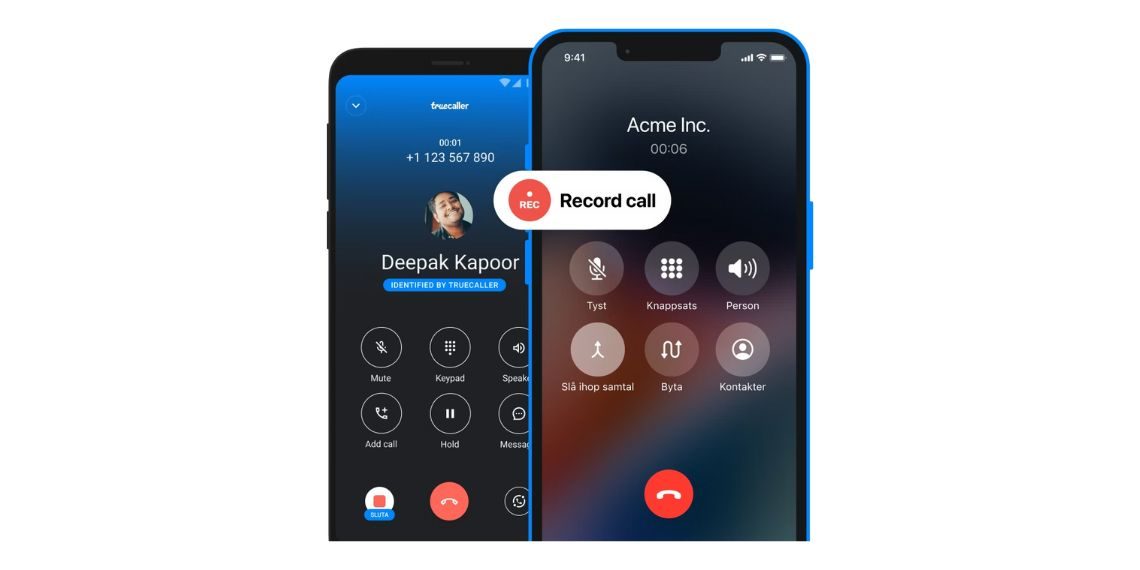
Truecaller has officially announced the end of its call recording feature for iPhone users, effective from September 30, 2025. The company has already begun notifying users through in-app alerts, urging them to save their existing recordings before the cutoff date. While Android users will continue to enjoy this functionality, iOS users are advised to take action promptly to preserve important recordings.
Why Is the Feature Being Removed?
The discontinuation aligns with ongoing platform restrictions and Apple’s evolving stance on call privacy and recording functionality. Apple recently introduced its own call recording support in iOS 18, which might be contributing to Truecaller’s decision to withdraw its third-party implementation from iPhones. Though not explicitly stated, these regulatory and technical limitations are likely key reasons behind the change.
Official Statement from Truecaller
Users are seeing a pop-up message within the app stating: “We are discontinuing the Call Recording feature on Truecaller for iPhone.” The notification is not only a heads-up but also a critical reminder for users to save important recordings before the deadline.
Feature Continues on Android
It’s important to note that the call recording feature will still be available on Android devices. Truecaller has made no indication that the functionality is being removed from that platform, largely because Android allows greater flexibility for such features.
How to Save Your Existing Call Recordings
Truecaller provides two main ways for iPhone users to save their recordings:
Save Automatically to iCloud:
Open the Truecaller app.
Navigate to the ‘Record’ tab.
Tap the Settings icon.
Select ‘Storage Preference’.
Choose ‘iCloud Storage’.
Note: If iCloud isn’t showing as an option, enable it by going to iPhone Settings > [Your Name] > iCloud > Show All > Enable Truecaller.
Save Individual Recordings Manually:
Go to the ‘Record’ tab in the Truecaller app.
Swipe left on the recording you want to save.
Tap the export/share icon (usually a box with an upward arrow).
Select ‘Save to Files’ or share to platforms like Google Drive, Dropbox, Mail, or Messages.
This method needs to be repeated for each call you want to preserve, so users with many saved calls should start the process early.
What This Means for iPhone Users
This update significantly affects iPhone users who rely on Truecaller for recording calls—whether for business, interviews, or documentation purposes. With no replacement solution within the app and limited options within the iOS ecosystem, users may need to explore Apple’s native recording options once widely available or look for other compliant third-party apps.
Final Reminder
All iPhone users of Truecaller must back up their call recordings before September 30, 2025. After this date, the call recording feature will be completely removed, and any unsaved files may become inaccessible.
Conclusion
As Truecaller moves forward with this change, iPhone users must act quickly to avoid losing important data. The company has provided sufficient notice and two clear methods to help users transition smoothly. This update also marks a broader shift in how iOS handles call recording—putting user privacy and native solutions at the forefront.
Follow Before You Take on:
Latest Technology News | Updates | Latest Electric Vehicle News | Updates | Electronics News | Mobile News | Updates | Software Updates
📌 Facebook | 🐦 Twitter | 📢 WhatsApp Channel | 📸 Instagram | 📩 Telegram | 💬 Threads | 💼 LinkedIn | 🎥 YouTube
🔔 Stay informed, Stay Connected!